
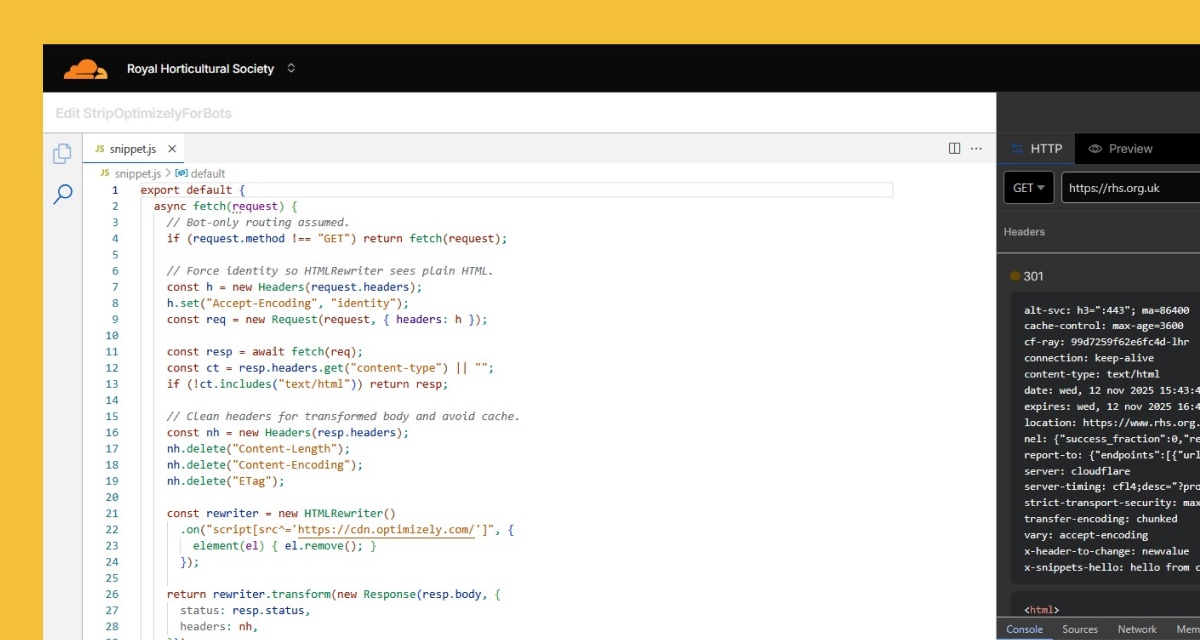
Project Title
Bot Filtering Implementation – Oct 2025
Introduction
After uncovering that bots were inflating our Optimizely MAUs (see How I Used BigQuery and Python to Detect Bot Traffic Inflating Optimizely MAUs), we explored multiple strategies to prevent non-human traffic from consuming our MAU allowance.
This implementation was not just a technical win — it was a financial one. By preventing bots from triggering Optimizely scripts, we expect to save tens of thousands of pounds annually, ensuring our MAU-based billing reflects real experimentation traffic.
This case study outlines how we evaluated client-side and server-side options — and why we ultimately implemented a Cloudflare Edge Worker snippet to block Optimizely for known bot user agents.
The Challenge
Optimizely’s default bot filtering relies on the IAB/ABC list, which doesn’t cover all crawlers. Our analysis showed that bots like PetalBot, HeadlessChrome, and Google Read Aloud were triggering Optimizely scripts and inflating MAUs. We needed a solution that:
- Stops bots before snippet initialization.
- Doesn’t block bots from accessing the site entirely (important for SEO and accessibility).
- Scales easily across our infrastructure.
Options Explored
We considered two approaches:
- Client-side filtering
- Use Optimizely’s Disable API in Project JavaScript.
- Pros: Easy to implement in snippet.
- Cons: Limited detection (no IP access, relies on UA in browser).
- Server-side filtering
- Modify responses at the edge using Cloudflare Workers.
- Pros: Full control, can block snippet before page loads.
- Cons: Requires custom logic and deployment.
After evaluating trade-offs, we chose Cloudflare Workers for precision and scalability.
Tools & Setup
- Cloudflare Workers: Edge-side script to remove Optimizely
<script>tag for known bot UAs/IPs. - Regex-based UA matching: Patterns for PetalBot, HeadlessChrome, Google bots, etc.
- BigQuery: For pre/post-change analysis and residual bot detection.
Implementation
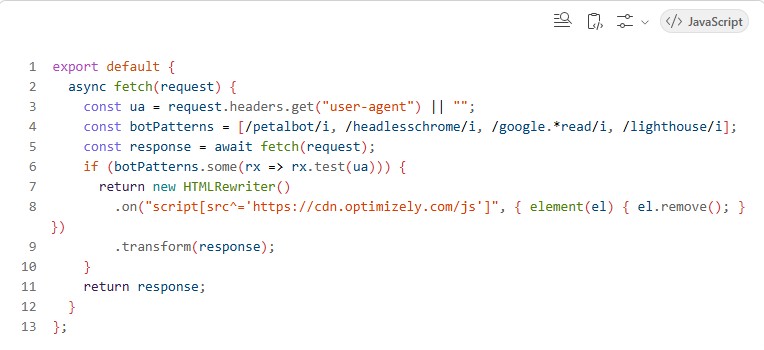
We deployed the snippet on 29 Oct 2025. The logic:
- Inspect
user-agentandcf-connecting-ipheaders. - If UA matches known bot patterns → remove Optimizely script using
HTMLRewriter. - Otherwise → return response unmodified.
Example Worker snippet:
Results
Analysis window:
- Pre-change: 24–29 Oct 2025
- Post-change: 30 Oct–6 Nov 2025
| Metric | Pre-change | Post-change | Δ |
|---|---|---|---|
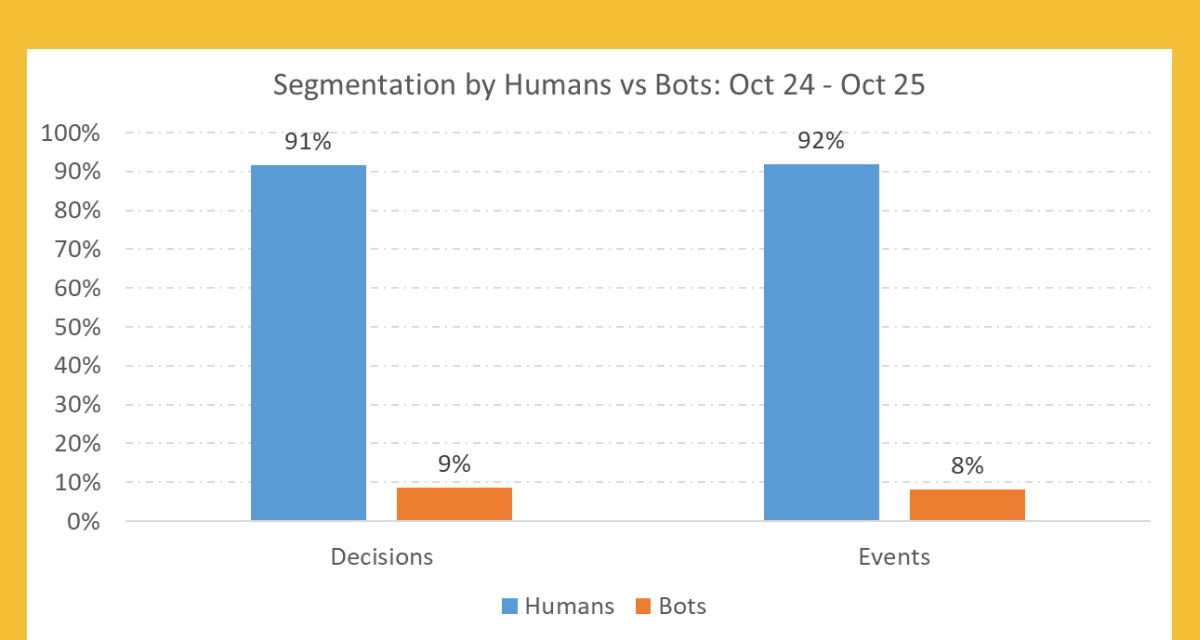
| Bot events | 88,069 (~1.67%) | 5,621 (~0.11%) | -93.6% |
| Human events | ~5.19M | ~5.09M | Stable |
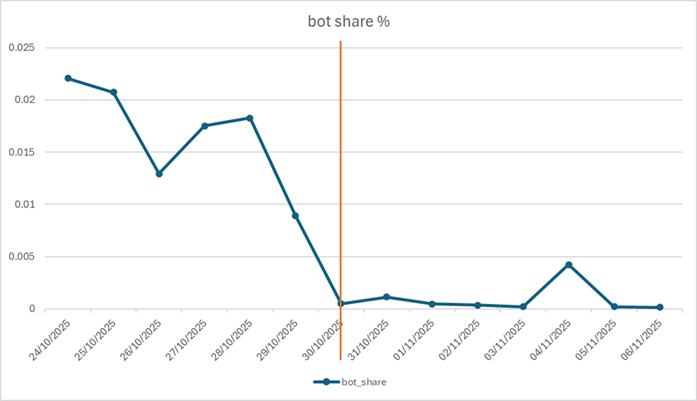
Daily trend:
- Before: Bot share averaged ~1.8–2.2%, peaking at 2.2%.
- After: Dropped to 0.05% on Oct 30, near-zero thereafter.
- Residual spike on Nov 4 (0.42%) from SeekportBot.
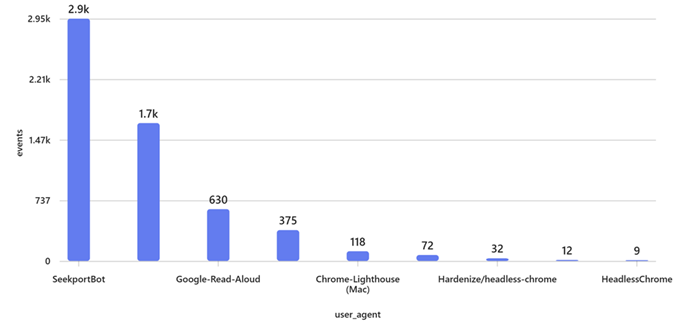
Financial Impact:
This change translates into annual savings in the five-digit range (£), reinforcing the importance of proactive bot filtering for cost optimization.
What We Learned
- Edge filtering works: Removing the snippet at the edge prevents MAU-impacting calls entirely.
- Human traffic unaffected: Confirms safe implementation.
- Residual bots exist: Specialized crawlers (SeekportBot, Lighthouse) require ongoing updates.
Next Steps
- Update bot list: Add SeekportBot, Lighthouse, Google Safety, etc.
- Monitor quarterly: Automate bot share queries and alerts.
- Document regex: Add to README for transparency.
- Explore automation: Scheduled queries + Looker Studio dashboard.
Visuals
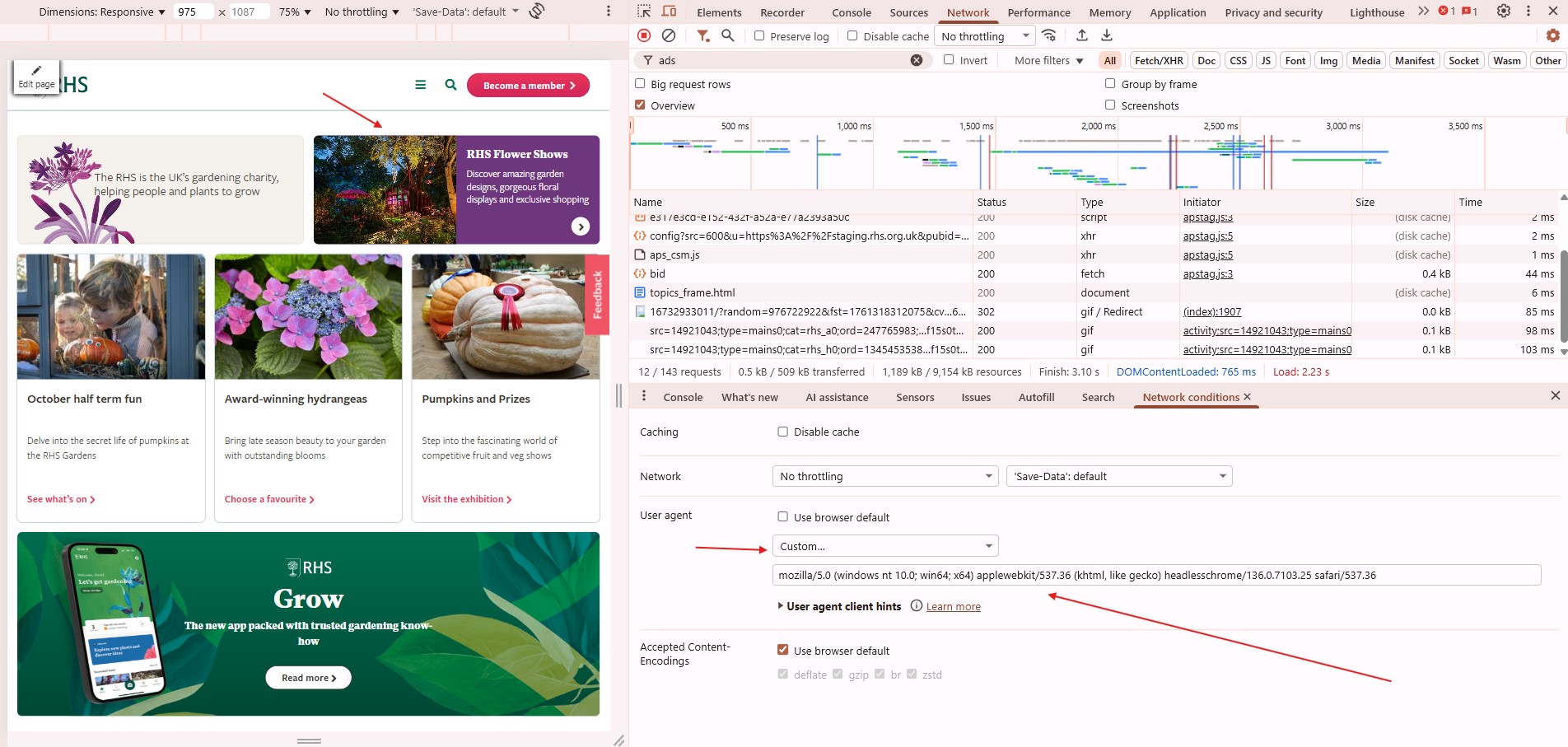
Testing Bot Filtering with Chrome DevTools User-Agent Override
Testing Cloudflare bot filtering by simulating different user agents in Chrome DevTools. The screenshot shows the Network tab and the ‘User agent override’ feature used to verify whether the Optimizely snippet loads or is removed for bot-like user agents.
Related Resources
Feedback
Have you implemented bot filtering at the edge or client-side? What worked best for you?
Views are my own and shared to help teams improve experimentation data integrity and cost efficiency.


Leave a Reply